RoyalWin Login
Sign in with your mobile number
100% Secure Connection · Fast login
- Login Method
- Mobile number
- Password required?
- Password needed
- App available
- Android APK Available
- iOS Login
- via mobile browser
How to Login?
- 1
Visit official website or open application
Hello friends after installing application you will be at login page on the top right corner there is a option has login tap on that

- 2
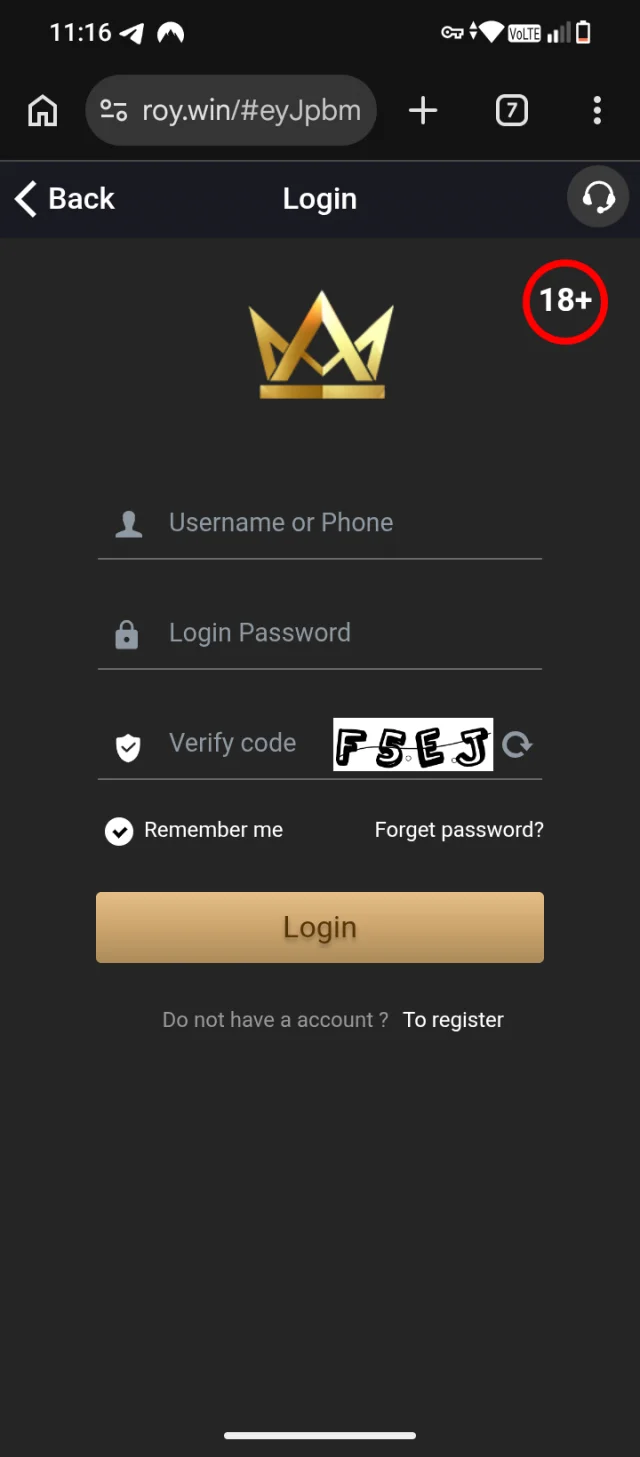
After typing on login option
You will be moved forward to login page where you have to enter your information for login
- 3
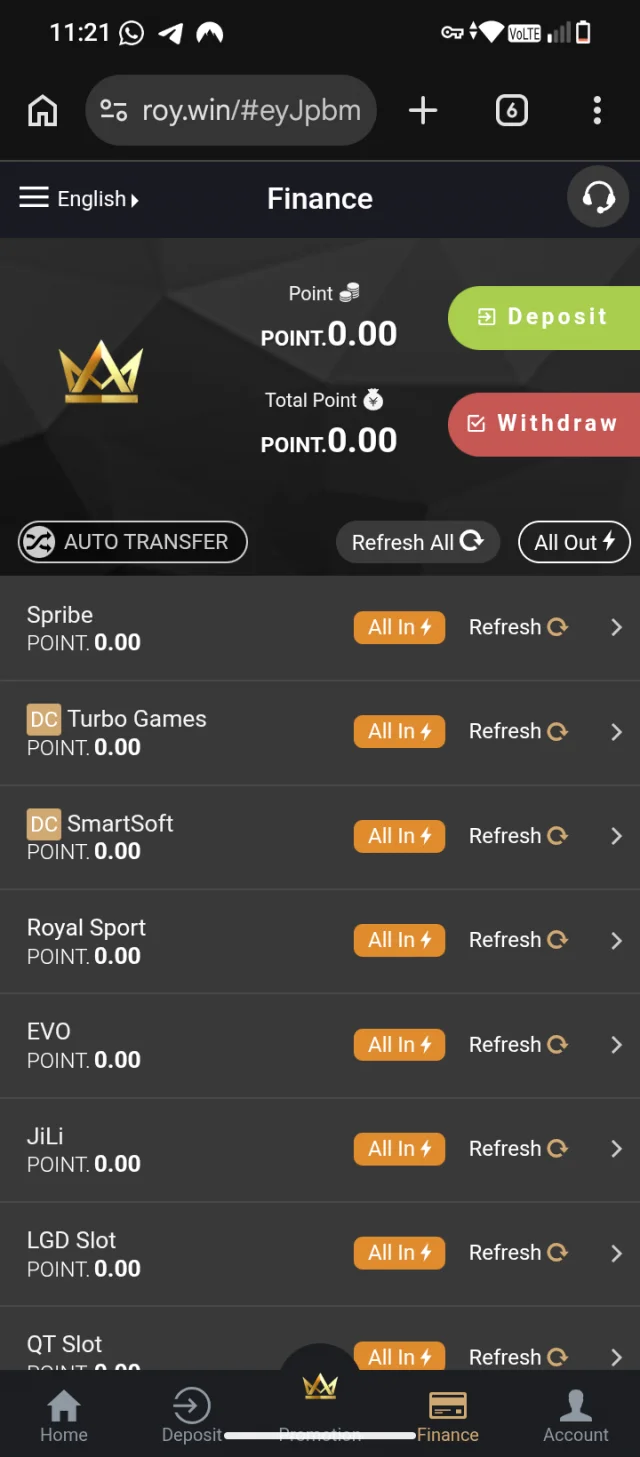
After login
Now you are at dashboard panel of the website from where you can control everything like deposit withdrawal you can change the setting and many more

- 4
Two options for deposit
At the bellow at your screen you will be able to see deposit and finance option even tab on anyone you will be redirected to deposit withdrawal page from where you can add fund or withdraw fund