RoyalWin APK Download
APP install guide · Real device tested
This is the Android package used in our latest test
Platform
AndroidiOS
- Version
- Version 2.0.3
- File Size
- 41.87MB
- Updated
- 17 Sep 2026
- Tested On
- One + Nord Android 14
How to Install
- 1
Visit official website to download app
Go to https://www.roy.win/#placeholder-x9 to download APK

- 2
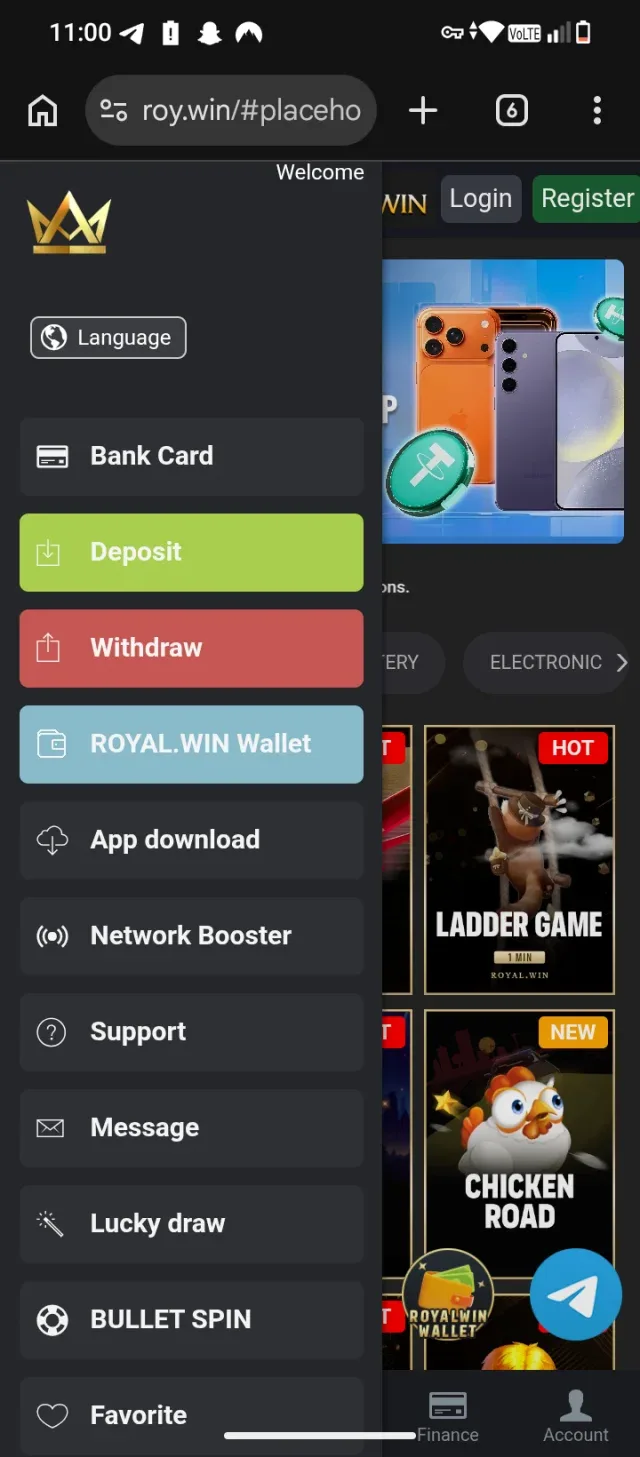
No where to find app download option
Click on menu 3 small like to left top corner of screen
- 3
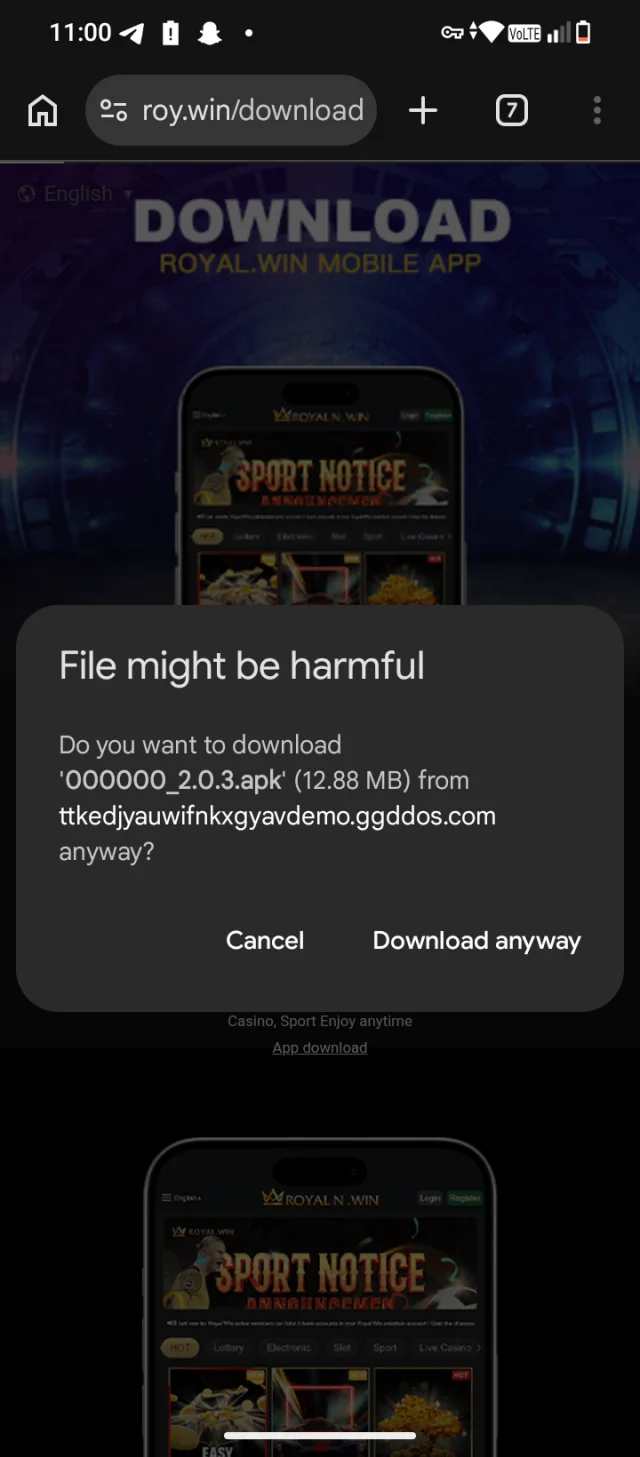
If Chrome shows a warning
Tap Download anyway or Keep file. This is normal for APKs not from Play Store.
- 4
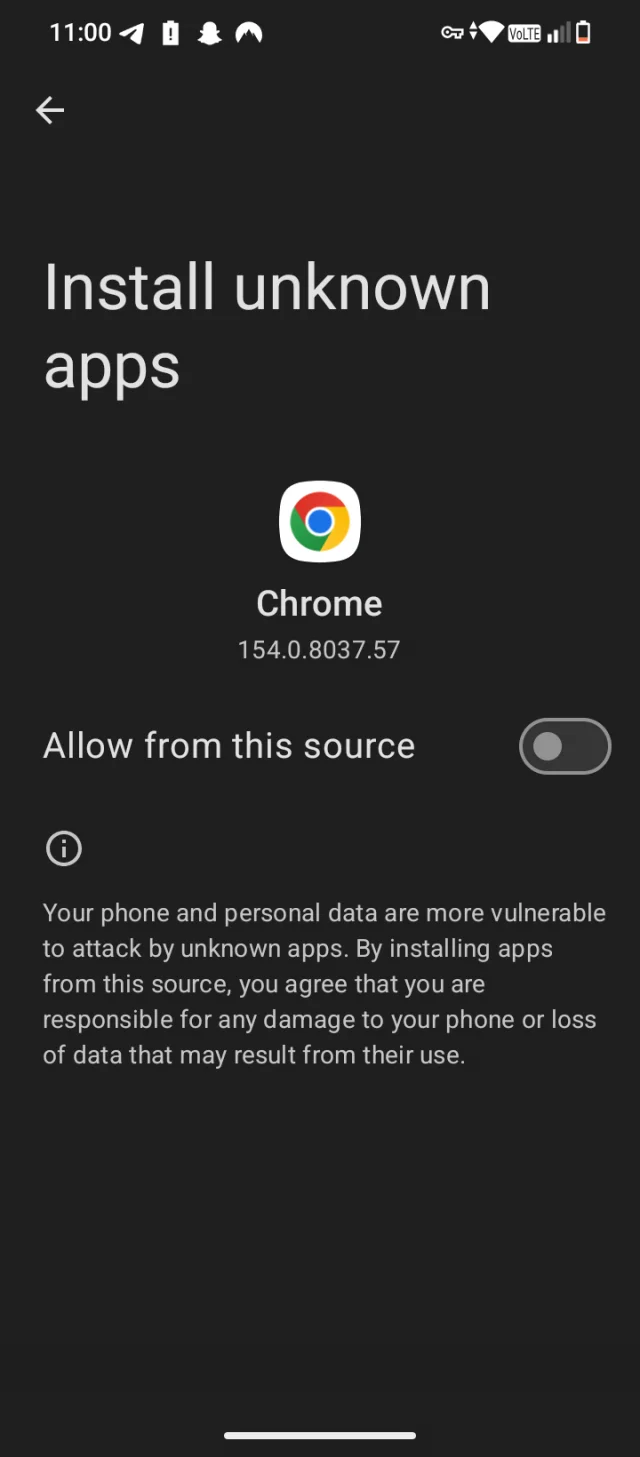
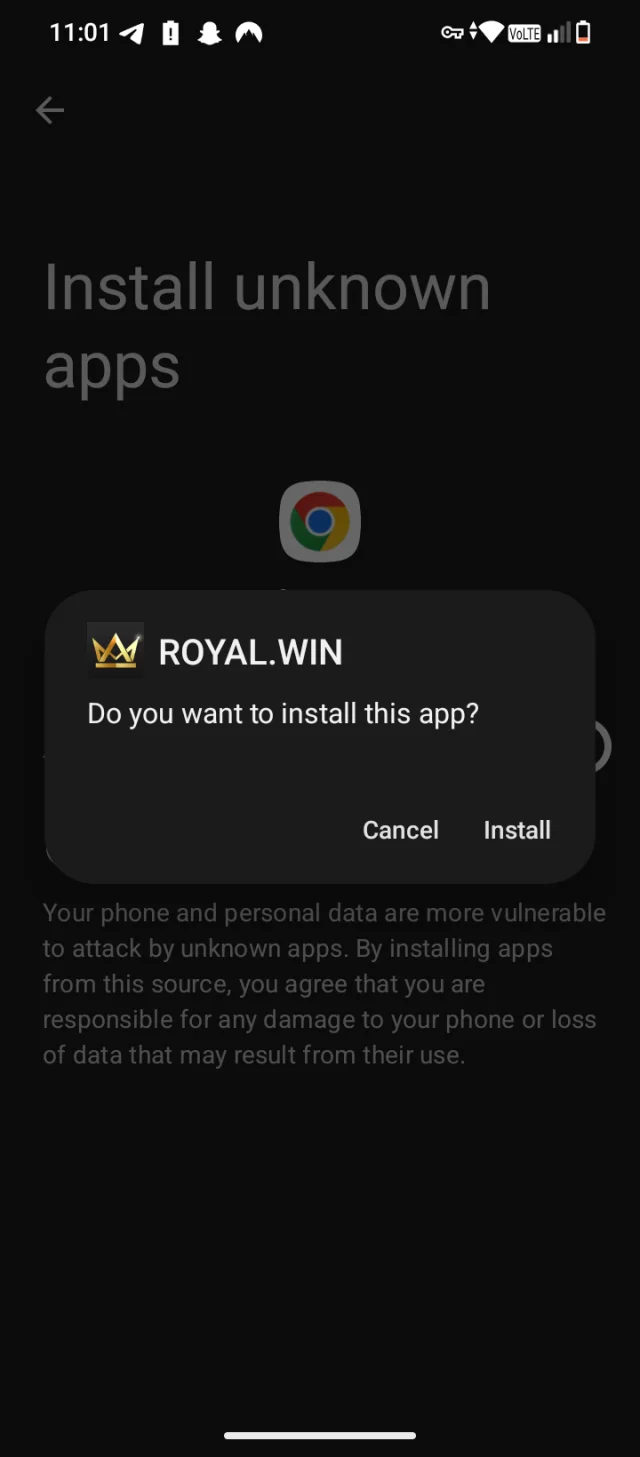
Allow install from unknown sources
Go to Settings -> Apps -> Special access -> Install unknown apps -> select your browser -> Allow.
- 5
Open the APK and install
Open the downloaded file from notification or Files app. Tap Install. It usually takes less than 1 minute.
- 6
Open the app and log in
After install, open it. You still need to register or login with your mobile number. The app looks more faster than website.